


Page content

Service Description
Digital Services support teaching and learning across our campuses by providing AV Technologies in centrally supported teaching and meeting spaces.
What's In A Standard Teaching Room
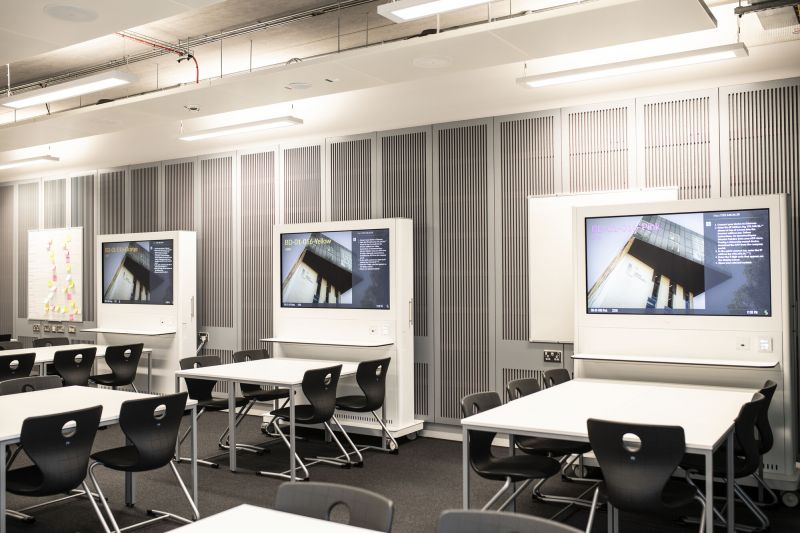
Over 80% of centrally supported general teaching rooms have fixed facilities including, as a minimum:
- Data Projector or Display Screen - for presenting teaching materials
- Fixed pc - with access to Panopto and Vevox
- HDMI connection - for laptops
- Control panel - to select input and adjust audio levels
- Audio playback - via ceiling speakers or in screen speakers
Microphones
Fixed microphones for audio amplification and audio capture are available only in larger spaces. Check the Fixed IT and audiovisual equipment list to see which rooms include microphones.
Centrally supported general teaching and meeting rooms without fixed setups can be equipped with portable AV equipment, installed safely by our team.
Business Process
Booking Equipment or Support
Check the Fixed IT and audiovisual equipment list to see what equipment is provided in the teaching and meeting rooms we support.
If you are teaching or meeting in a centrally supported space without fixed equipment, or if you need help using the technology:
- Complete an AV Equipment/Technical Support booking form via Unidesk
Notice Periods
- 72 hours - standard meeting and teaching support
- 10 working days - event support, especially with out of hours support requirements
Access to the form is via the Unidesk Self Service Portal (direct link via the blue button below) using your staff email address and network password.
Select "Audio Visual Services" tile, and click on "AV Equipment/Technical Support booking" form.
Sign in to the Unidesk Self Service Portal
Frequently Asked Questions

Audio amplification microphones
These microphones connect to the room’s amplifiers and speakers to project the presenter’s voice within the room.
They are used in large teaching spaces and may be:
- lectern microphones
- boundary microphones
- wireless lapel microphones
These microphones do not record audio for lecture capture.
Audio capture microphones
These microphones connect directly to the teaching room PC so that software such as Panopto can record the presenter’s voice.
They do not amplify sound in the room.
The standard type in use is a USB boundary microphone.
Choosing the right microphone
There is a wide range of microphone types, each suited to different room sizes, layouts, and teaching styles.
Digital Services can provide a USB boundary microphone as standard and, working with ODL, can recommend alternatives where needed.
Using a laptop instead
Most laptops already have a built-in camera and microphone, so only the appropriate software is required for audio and video capture during presentations. If you are using a University Managed device, Panopto is available for download via the Company Portal.
Supporting Materials
Digital Services offer tailored AV training for individuals or groups.
Contact servicedesk@ulster.ac.uk to arrange a session.
We also run regular training events promoted via global mail shot and Bluesky @UlsterUniDS
For general guidance, see:
- General Classroom technology overview (Download Classroom Technology PDF)
- Lumens ladibug visualiser quick guide
- Wolfvision Visualiser demo video
- Mersive Solstice Demo
- Touch Screen Controller Guide
- Timber Quay Touch Screen Controller Guide
How to obtain help
Monday to Friday: 8am to 8pm How to contact the Service Desk
Service Desk Hours
Saturday to Sunday: 1:30pm to 5pmExtended Closure - Easter and Christmas Holidays
Cost
There is no charge for AV loans supporting teaching and learning in centrally supported general teaching and meeting spaces.
Charges apply for Out of hours event or conference support. See Event Support.
Eligibility
All staff of the University
Service Owner
ICT Customer Services
In this section
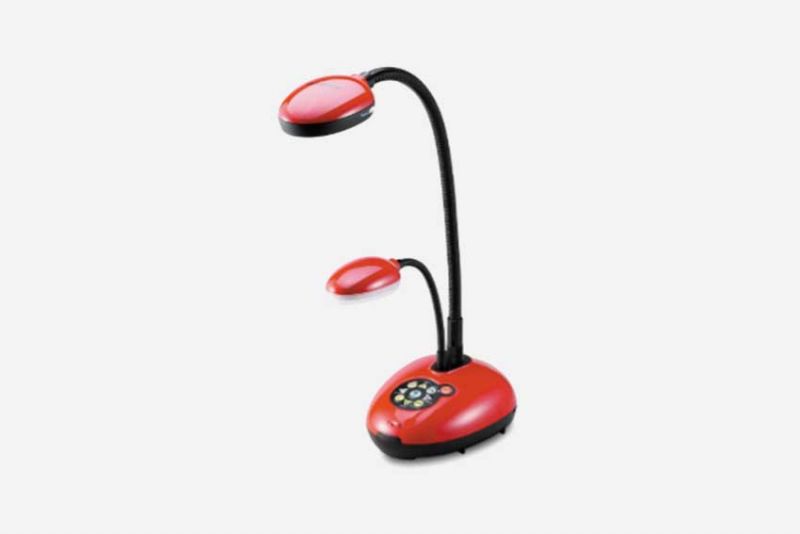
Lumens Ladibug Visualiser Guide
The Lumens Ladibug Visualiser can be used to display pages from books, handwritten notes, and other objects quickly through the PC onto the in-room projection screen. It can also be used to capture still images and video.

Timber Quay Touch Screen Controller Guide
Quick start guide for the touch screen controller available for use in Timber Quay at Ulster.